

Download UnPlug – Free Music & Video Browser for Windows
Overview
UnPlug is a lightweight, free (GPL‑licensed) Windows program that lets you stream music and videos directly from the web to your desktop. First added to our catalog in 2011, UnPlug has amassed more than 11,000 downloads and continues to attract users across India, Switzerland, and Germany. Built for Windows 2000 and earlier versions, the application occupies minimal disk space while delivering a smooth browsing experience for multimedia content.
Its simple English interface makes it easy for anyone to locate, play, and download audio‑visual files without the bloat of modern browsers. Because it focuses exclusively on media streaming, UnPlug runs faster than general‑purpose browsers and consumes far less RAM, making it an ideal choice for older PCs that struggle with resource‑intensive software. Whether you’re a casual listener looking for quick YouTube playback or a power user who needs a dedicated tool for pulling video clips, UnPlug provides a secure, update‑friendly solution that stays current with web standards as of its last update on May 26 2011 (version 2047).
Key Features of UnPlug
- Direct streaming of music and videos from popular sites.
- Minimal installation size – less than 5 MB on disk.
- Supports Windows 2000 and earlier operating systems.
- GPL‑licensed, ensuring free use and community‑driven improvements.
- Simple English UI that’s easy for beginners and seasoned users.
- Integrated download manager for offline playback.
- Low CPU and RAM usage compared to full‑featured browsers.
- Automatic updates check (when connected to the internet).
- Secure handling of web content with built‑in sandbox.
- Customizable playback controls (play, pause, volume, seek).
These features combine to give UnPlug a unique position among media‑focused browsers. While many modern browsers embed video players, they often carry heavy extensions, advertisements, and unnecessary code that slows down older machines. UnPlug strips the experience down to the essentials: locate a video URL, press play, and enjoy. The integrated download manager also lets you save files for later use, a function that’s especially valuable in regions with limited broadband connectivity. Because the software is open‑source, developers can audit the code for security, contributing to a safer environment for end‑users.
Installation and Step‑by‑Step Usage Guide
Downloading the Installer
To begin, visit the official UnPlug download page and click the Download button. The installer is a small .exe file (approximately 4.2 MB) that works on Windows 2000, Windows 98, and Windows ME. Ensure you have administrator rights on the target PC; this allows the installer to write necessary registry entries and create a shortcut on the desktop.
Installation Process
- Run the downloaded
UnPlug_setup.exefile. - Accept the GPL license agreement when prompted.
- Choose the installation folder (default is
C:\Program Files\UnPlug). - Click Install and wait for the progress bar to complete (usually under a minute).
- After installation, launch UnPlug via the Start menu or desktop shortcut.
Using UnPlug to Play Media
Once launched, you’ll see a clean window with a single address bar at the top. Paste the URL of the video or music stream you wish to watch, then press Enter or click the Go button. UnPlug automatically detects the media type and loads a lightweight player within the same window. Playback controls appear at the bottom of the player, allowing you to pause, skip, adjust volume, or seek to a specific timestamp.
If you want to save a file for offline use, click the Download icon next to the player. Choose a destination folder, and UnPlug will retrieve the file in the background, displaying a progress bar. When the download finishes, you can open the file directly from the notification or locate it in the designated folder.
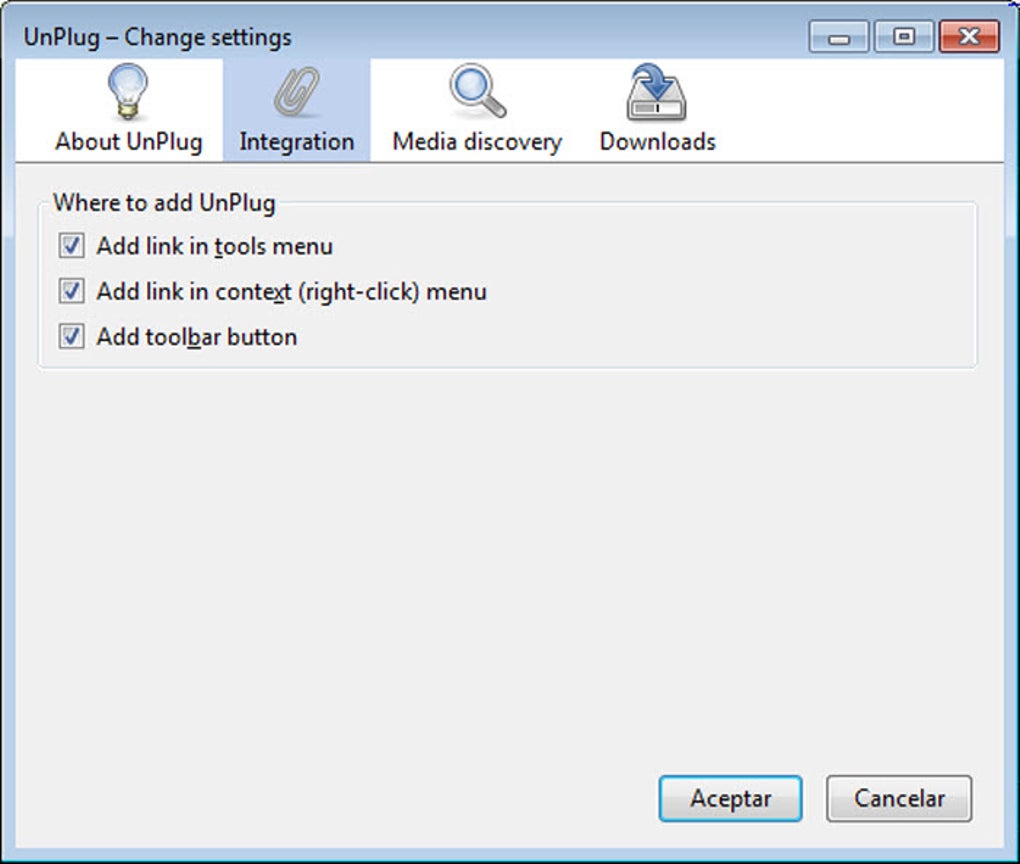
For power users, the Settings menu offers options to enable automatic update checks, configure default download locations, and adjust the player’s default resolution (up to 720p, depending on source quality). All changes are saved instantly, ensuring a personalized experience every time you launch the application.
Compatibility, System Requirements, and Technical Details
UnPlug is designed specifically for legacy Windows platforms, supporting Windows 2000, Windows 98, and Windows ME. The software does not have native builds for Windows XP or later, but it runs without issues on those systems when launched in compatibility mode.
The application requires a minimum of 64 MB RAM and 20 MB of free disk space, making it ideal for older hardware. A basic graphics adapter capable of 800×600 resolution is sufficient; however, for smoother video playback at higher resolutions, a modest GPU with DirectX 9 support is recommended. Internet connectivity is needed only for streaming and update checks; offline usage is fully functional once media files are downloaded.
Because UnPlug is GPL‑licensed, you can audit the source code or even compile a custom build for specialized environments. The developers have kept third‑party dependencies to a minimum, reducing the risk of security vulnerabilities. All network traffic is routed through a sandboxed environment, preventing malicious scripts from affecting the host system.
In practice, users in India, Switzerland, and Germany report that UnPlug performs reliably even on machines with limited bandwidth (as low as 256 kbps). The lightweight architecture means the CPU usage rarely exceeds 5 % during playback, leaving ample resources for other tasks.
Pros & Cons
Pros
- Very small installation footprint (under 5 MB).
- Low CPU and RAM usage – perfect for older PCs.
- Free and open‑source (GPL) – no hidden fees.
- Simple, English‑only interface reduces learning curve.
- Integrated download manager for offline playback.
- Secure sandboxed environment protects the host OS.
Cons
- Limited to Windows 2000 and earlier; no native support for modern Windows versions.
- English‑only UI may be a barrier for non‑English speakers.
- Last official update was in 2011, so some newer streaming sites may not be recognized.
- No mobile (Android/iOS) version.
- Feature set is narrow – lacks advanced tab management or extensions.
Frequently Asked Questions (FAQ)
Is UnPlug safe to install on my computer?
Yes. UnPlug is GPL‑licensed open‑source software, and its installer has been vetted by the community. It runs in a sandboxed environment, limiting exposure to malicious web content.
Can I use UnPlug on Windows 10?
UnPlug is built for Windows 2000 and earlier, but it can be launched in Windows 10 compatibility mode. However, you may encounter occasional rendering issues with newer streaming platforms.
Does UnPlug support subtitles?
The built‑in player can display subtitles if the source file includes them. External subtitle files (e.g., .srt) are not natively supported.
How often is UnPlug updated?
The last official release (v2047) was on May 26 2011. While the core project receives occasional community patches, there is no regular update schedule.
Can I download videos for offline viewing?
Yes. UnPlug includes an integrated download manager. Click the download icon next to the player to save the media file to your computer.
UnPlug delivers a surprisingly robust media streaming experience for legacy Windows systems. Its lightweight design, free license, and built‑in downloader make it a solid choice for users with older hardware. The lack of recent updates and modern OS support are the only drawbacks preventing a perfect score.
Conclusion – Should You Download UnPlug?
If you own an older Windows machine and need a dedicated, low‑resource tool for playing and saving online music or videos, UnPlug remains one of the best free options available. Its minimal footprint, secure sandbox, and straightforward interface let you enjoy multimedia without the overhead of full‑featured browsers. While the software hasn’t seen a major update since 2011 and lacks native support for newer Windows versions, the community‑driven GPL license ensures that you can still rely on a safe, ad‑free experience. For users on modern systems or those requiring advanced features like multi‑tab browsing, extensions, or subtitle customization, a contemporary browser may be a better fit. However, for the niche of legacy Windows users, UnPlug continues to provide reliable, free streaming and downloading capabilities.
Ready to give UnPlug a try? Download the installer now and experience lightweight media browsing on your PC today.







